---
title: Download a Vimeo video
description: "Download vimeo video: paste the video URL when the page has no download button, and save it to a folder on this computer."
url: https://keepcopy.app/blog/download-vimeo-video
updated: 2026-08-14T00:00:00.000Z
---
The Vimeo page plays. There is **no download button**. The next search is a converter. You paste the link and cannot tell what left the machine.
**KeepCopy** is a local-first [desktop video downloader](/). To **download a Vimeo video**, paste the **video** URL, pick quality in plain language, and save it to a folder on this computer. The pasted URL goes from this computer to Vimeo — never through our servers. The desktop app sends **no telemetry**.
On this page
- [When Vimeo hides the download button](#when-vimeo-hides-the-download-button)
- [Paste the video URL, not a Showcase home](#paste-the-video-url-not-a-showcase-home)
- [How to download a Vimeo video locally](#how-to-download-a-vimeo-video-locally)
- [Where the link and video travel](#where-the-link-and-video-travel)
- [When Vimeo challenges the download](#when-vimeo-challenges-the-download)
- [What this will not do](#what-this-will-not-do)
- [Micro-FAQ](#micro-faq)
When Vimeo hides the download button
**The button is the owner’s toggle.** If they left it off, Vimeo’s page will not give you a file. Official help stops there.
A **cloud converter** is the usual next step. That hop is the problem this audience will not accept. You cannot see where the URL went.
KeepCopy does not fetch the video for you on a website. You run a desktop app on macOS, Windows, or Linux. You paste the Vimeo link. The file lands in a folder you choose.
This page owns **download vimeo video**. The generic no-converter job is [Save web video without a web converter](/blog/save-web-video-without-web-converter).
Paste the video URL, not a Showcase home
**Paste the video page.** It looks like `vimeo.com/` plus the video’s number. That is the link the app inspects.
A Showcase homepage, a profile, or a staff-picks index is not one video. The app will say so. An embed on another site still needs the Vimeo video URL if that is the source you meant.
If the link is a collection, inspect it and **select the entries** you want. The app does not silently download every item — [Download selected videos from a playlist](/blog/download-selected-videos-from-playlist).
How to download a Vimeo video locally
**Paste, pick quality, save to a folder.** You never type a format code. You never send the URL through a converter.
### Step 1: Open KeepCopy
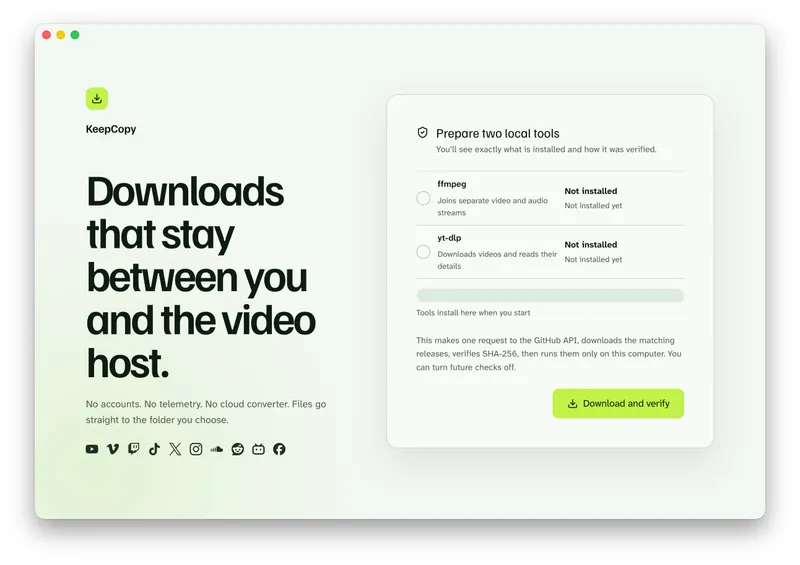
Launch KeepCopy on this computer. First run installs and verifies the official **yt-dlp** release and **ffmpeg** here. You do not hunt a **package manager**.
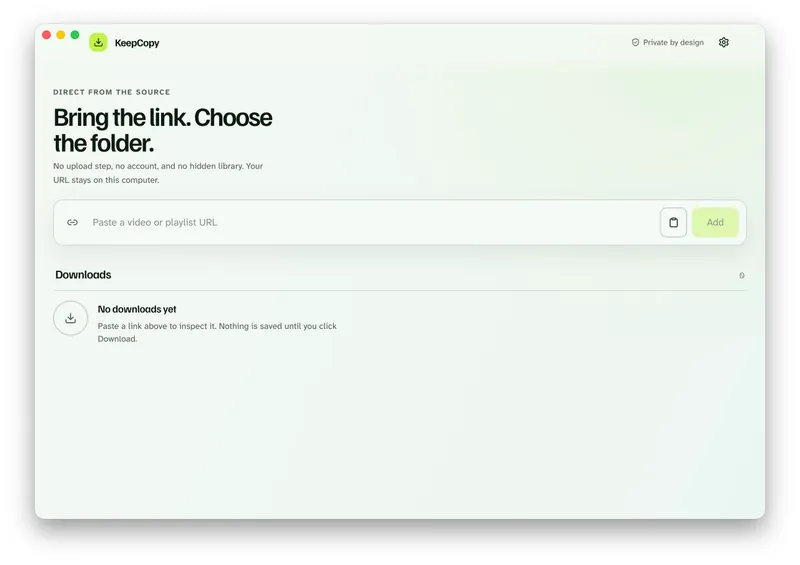
### Step 2: Paste the Vimeo video URL
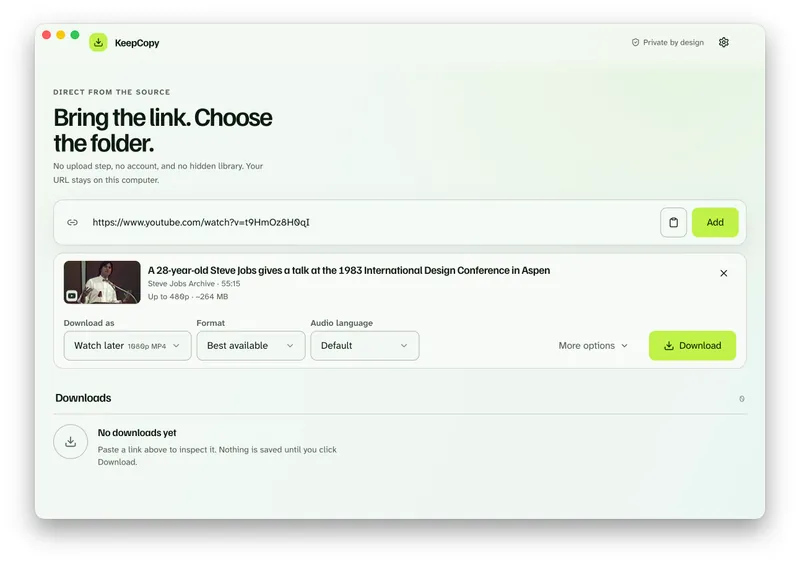
Drop in the video page. The app inspects it on this computer before anything is saved.
### Step 3: Pick quality in plain language
Choose **720p MP4**, **1080p MP4**, **4K MP4**, or **best available** when the source has them. Watch later is a shortcut for those everyday presets — [Download 1080p video without command line](/blog/download-1080p-without-command-line).
### Step 4: Save it to a folder
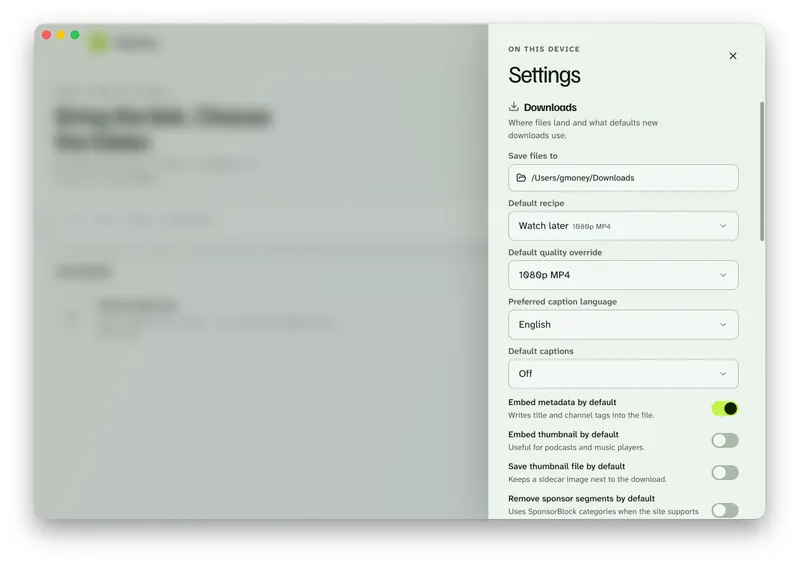
In Settings, set **Save files to** to a folder on this computer. The queue shows progress, cancel, and retry. When it finishes, **Show folder** reveals the file.
Keep the video here. [Paste a Vimeo link in KeepCopy.](/#download)
Where the link and video travel
**The pasted URL goes from this computer to Vimeo.** It does not go through Evolving Curiosity’s servers. The running desktop app never contacts this marketing site.
The desktop app sends no telemetry and no crash reports. It does not create an account.
This marketing site is a different surface. It uses Google Analytics 4 cookies solely to understand visits, traffic sources, and useful pages. That is not the app’s contract. The split is in [What stays on your computer](/blog/what-stays-on-your-computer). The dated policy is [`/privacy`](/privacy).
Checksums sit next to the app download, not in this how-to. Optional yt-dlp update checks look up a newer official engine release on GitHub. You can turn those off. They never include the URLs you paste.
When Vimeo challenges the download
**There is no password field in KeepCopy.** Do not look for one.
If the video plays while you are signed in, and the download says **sign in required** or the video is private, open **Site access**. Choose cookies from a listed browser — Chrome, Chromium, Edge, Firefox, or Safari — or a `cookies.txt` file. Then retry.
Cookies stay on this computer. They go only to **yt-dlp** for that challenged download. They reuse a session you already have. They do not grant access, bypass Vimeo’s rules, or invent a password.
The full cookie path is [Video download says sign in required](/blog/video-download-sign-in-required). Public videos do not need it. Start with **Don’t use cookies**.
What this will not do
**KeepCopy will not type a Vimeo password for you.** It will not proxy a login. It will not fetch the video on a website.
It is not a player or a library. It will not silently download every item in a Showcase — you select entries.
If the queue failed, retry or repair the tools in Settings — [Video download keeps failing](/blog/video-download-keeps-failing). More [workflow](/blog/category/workflow) notes live with this one. The paste-pick-save walkthrough is [yt-dlp without the terminal](/blog/yt-dlp-without-the-terminal).
Micro-FAQ
### The Vimeo page has no download button. Can I still save the video?
Vimeo’s button appears only when the owner turned it on. KeepCopy is a local desktop app. Paste the video URL, pick quality, and save to a folder on this computer. The pasted link goes from this computer to Vimeo — never through our servers.
### Which Vimeo URL should I paste?
Paste the video page, not a Showcase homepage and not an embed on another site’s home. A collection still needs you to select entries.
### Does KeepCopy ask for a Vimeo password?
No. There is no password field in the app. If the host challenges the download, choose cookies from a listed browser or a cookies.txt file. Cookies stay on this computer. They do not grant access you do not already have.
### Does the desktop app upload the Vimeo link to a converter?
No. The running app sends no telemetry. A pasted URL goes from your computer to Vimeo. This marketing site is separate and uses analytics cookies solely to understand its traffic.
KeepCopy is a desktop video downloader. Paste a link, pick quality, and save the video to a folder on this computer.
[Coming soon](https://keepcopy.app/#download)