---
title: Download YouTube Watch Later
description: "Download youtube watch later: paste the list=WL playlist, use local cookies, select the entries, and save those videos to a folder on this computer."
url: https://keepcopy.app/blog/download-youtube-watch-later
updated: 2026-08-17T09:30:00.000Z
---
You searched **download youtube watch later**. A converter you found in search cannot see that list. Watch Later is private. The usual result is a **copied command** that wants your browser cookies in a terminal — and then dumps every item.
You wanted a few of those videos, not four hundred files you did not pick.
**KeepCopy** is a [desktop video downloader](/), not a website that fetches the video for you. To **download YouTube Watch Later** here, paste `youtube.com/playlist?list=WL`, choose cookies from a listed browser, **select the entries**, and save those videos to a folder on this computer. Official **yt-dlp** plus **ffmpeg** run locally. Cookies stay here. The pasted URL never goes through our servers. The desktop app sends **no telemetry**.
On this page
- [Why Watch Later usually means a command](#why-watch-later-usually-means-a-command)
- [Paste youtube.com/playlist?list=WL](#paste-the-watch-later-playlist-url)
- [Watch Later is private](#watch-later-is-private)
- [Select the entries — not the whole pile](#select-the-entries-not-the-whole-pile)
- [How to download YouTube Watch Later in KeepCopy](#how-to-download-youtube-watch-later-in-keepcopy)
- [Liked videos are the same job](#liked-videos-are-the-same-job)
- [What this will not do](#what-this-will-not-do)
- [If you wanted one public watch link](#if-you-wanted-one-public-watch-link)
- [Micro-FAQ](#micro-faq)
Why Watch Later usually means a command
**YouTube does not give you a download button on Watch Later.** The list lives on your account. A paste box on someone else’s site never sees it. A **browser extension** is the other common path, and the session still leaves a window you control.
The command-line version asks you to pass cookies from a browser, then treats `list=WL` like permission to grab everything. That is a dump, not a pick.
KeepCopy stays a **desktop video downloader**. This page is only the Watch Later job. Your computer talks to YouTube. We do not see the URL. There is no account with us and no crash reporting.
The generic public-list walkthrough is [Download selected videos from a playlist](/blog/download-selected-videos-from-playlist). Come back here when the list is **your** Watch Later.
Paste youtube.com/playlist?list=WL
**Paste the Watch Later playlist page, not Home and not one video.**
- The playlist looks like `youtube.com/playlist?list=WL`.
- Open **YouTube → Library → Watch later**, then copy the address bar. That is the URL KeepCopy inspects as a list.
Do not paste YouTube Home, a channel, or a search page. Those are not this playlist. The app will say so.
A **watch** URL that only carries `&list=WL` in the query is often still one video. Inspect will show that title, not the picker. If you wanted the pile, paste the `playlist?list=WL` page.
A public playlist you can open without signing in is the generic picker post. This page stays on Watch Later. A generated Mix (`list=RD`) is [Download YouTube Mix](/blog/download-youtube-mix).
Watch Later is private
**Watch Later is tied to the account that saved it.** A public request does not load that list. Start from a browser where you are already signed in to YouTube and can open Watch Later yourself.
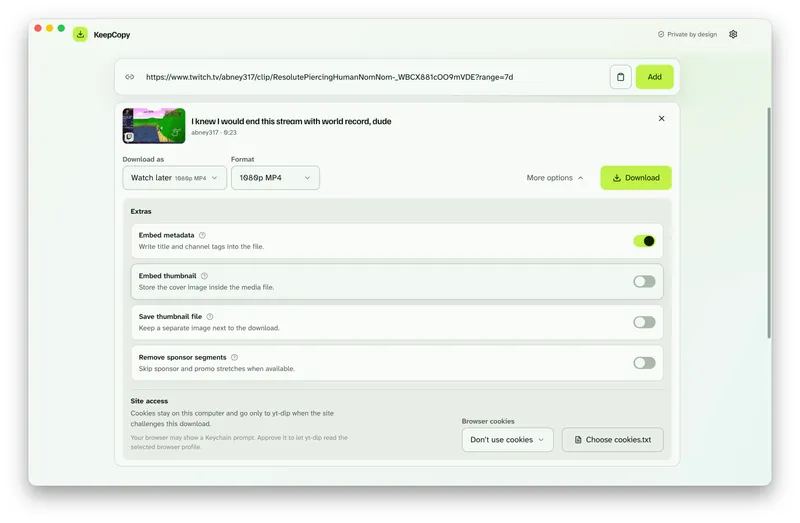
If inspect fails, or the queue title is **sign in required** or **YouTube is asking for verification**, open **Site access** under the paste field. Choose cookies from Chrome, Chromium, Edge, Firefox, or Safari, or a `cookies.txt` file. Then press **Add** again.
Cookies stay on this computer. They go only to **yt-dlp** for that challenged download. They reuse a session you already have. They do not create an account with us and they do not unlock videos YouTube will not serve that account.
The full cookie path is [Video download says sign in required](/blog/video-download-sign-in-required).
Select the entries — not the whole pile
**Selection is required.** Pasting `list=WL` is not permission to save every item.
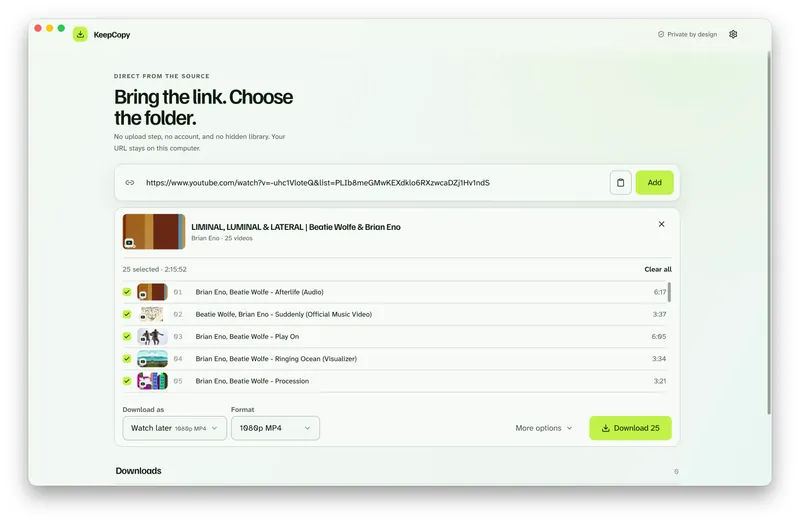
After inspect, each entry shows a checkbox, a thumbnail, a title, and a duration. Uncheck what you do not want, or **Clear all** and pick a few. **Select all** is there when you mean the whole list — after you have seen it.
The **Download** button stays off until at least one entry is selected. It then reads **Download** plus that count. Nothing is queued until you click it.
Deleted or unavailable placeholders in Watch Later have nothing to save. KeepCopy cannot restore a video YouTube already took down.
The picker screenshot and the public-list rules live on [Download selected videos from a playlist](/blog/download-selected-videos-from-playlist). This page is why cookies come first.
How to download YouTube Watch Later in KeepCopy
**Paste `list=WL`, set cookies, select entries, pick quality, and queue those jobs.** You never type a format code. You never pass playlist indexes.
### Step 1: Open KeepCopy
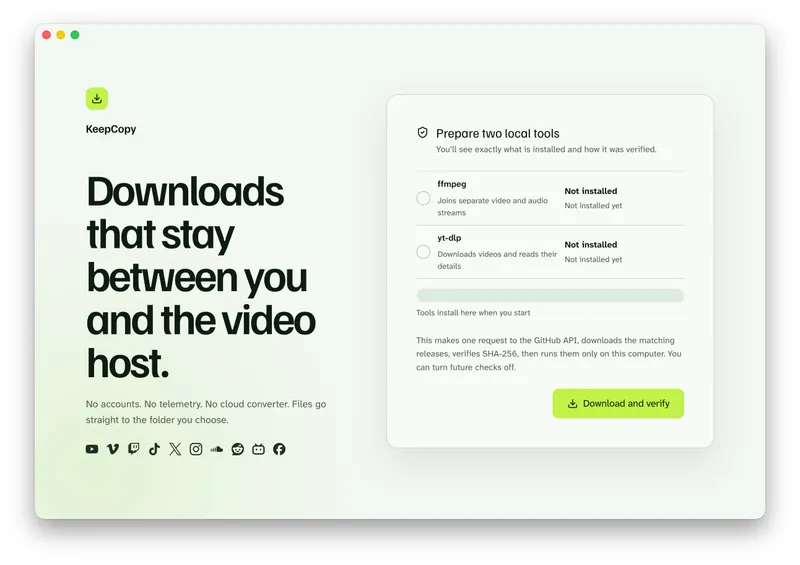
Launch KeepCopy on macOS, Windows, or Linux. First run installs and verifies the official **yt-dlp** release and **ffmpeg** on this computer. You do not hunt a **package manager**.
### Step 2: Paste the Watch Later playlist URL
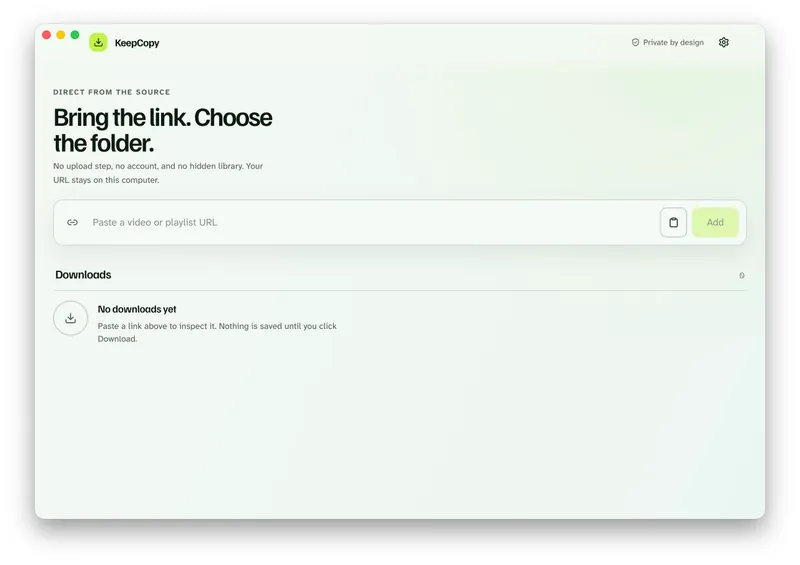
Drop in `youtube.com/playlist?list=WL`. Watch Later usually needs a session, so open **Site access** under the paste field first, then press **Add**. The app inspects the list on this computer before anything is saved.
### Step 3: Choose cookies from the signed-in browser
Open **Site access** under the paste field. Leave **Don’t use cookies** only when a public list already loaded. Watch Later usually needs the session. After preview, the same controls are still in **More options**.
Open **Browser cookies** and select the browser that can already open Watch Later. KeepCopy lists **Chrome, Chromium, Edge, Firefox, and Safari**. Or choose a `cookies.txt` file on this computer.
Screenshot of browser-cookies-source-list
### Step 4: Select the entries, then pick quality
Use the checkboxes. Three videos out of a long Watch Later means you pick those three.
Choose **720p MP4**, **1080p MP4**, **4K MP4**, or **best available** when the source has them. Prefer **1080p** or **4K** so **ffmpeg** can join the streams YouTube often splits.
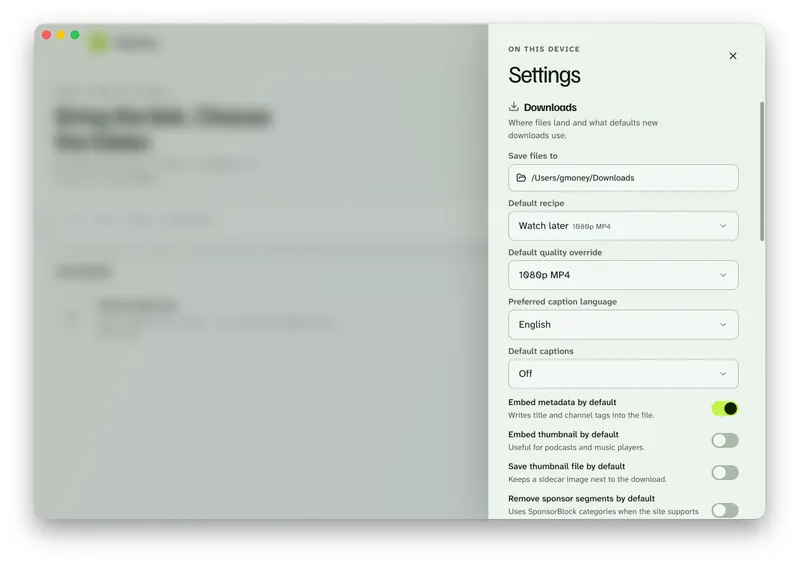
KeepCopy’s **Watch later** recipe is a quality shortcut for those everyday presets — [Download 1080p video without command line](/blog/download-1080p-without-command-line). It is not this YouTube list.
### Step 5: Save those videos to a folder
In Settings, set **Save files to** to a folder on this computer. Each selected entry becomes its own job. The queue shows progress, cancel, and retry. When a job finishes, **Show folder** reveals the video.
[Paste your Watch Later playlist in KeepCopy.](/#download)
No telemetry. No account. The video stays on this computer. 🎉 50% off launch sale!
Liked videos are the same job
**People who typed download youtube liked videos still paste a private list.** The URL looks like `youtube.com/playlist?list=LL`.
Use the same local cookies. Inspect the list. **Select the entries.** Queue those. Liked videos are not a second product and not a silent dump of every like.
If inspect cannot load `list=LL`, confirm that page opens in the signed-in browser you chose under Site access.
What this will not do
**KeepCopy cannot restore a Watch Later item YouTube already took down.** A gray placeholder has no stream.
**It will not silently download every Watch Later video** because you pasted `list=WL`. You inspect, you select, you click Download.
**It will not treat cookies as a bypass.** They reuse a session you already have. They do not grant a video that account cannot play.
**It will not record a live premiere as a product.** This page is videos already on Watch Later that you can open as a list. A finished YouTube replay is [Download YouTube live stream](/blog/download-youtube-live-stream).
This is not a YouTube browser, a media library, or a website that fetches the video for you.
If a selected MP4 is mute because streams were not joined, see [Downloaded MP4 no audio](/blog/downloaded-mp4-no-audio). If a row failed, [Video download keeps failing](/blog/video-download-keeps-failing).
If you wanted one public watch link
**Watch Later is a list.** One public video you can open without signing in is [YouTube to MP4](/blog/youtube-to-mp4). Paste the watch, `youtu.be`, or Shorts URL and pick **1080p MP4** or **4K MP4**.
Audio only from a YouTube link is [YouTube to MP3](/blog/youtube-to-mp3). A public playlist that is not Watch Later stays on [Download selected videos from a playlist](/blog/download-selected-videos-from-playlist). A generated Mix is [Download YouTube Mix](/blog/download-youtube-mix).
The download stays **local-first**. For the path of a pasted link, read [What stays on your computer](/blog/what-stays-on-your-computer). More [workflow](/blog/category/workflow) notes live with this one.
Micro-FAQ
### Which URL do I paste for Watch Later?
Paste `youtube.com/playlist?list=WL`. Not YouTube Home, not a public playlist, and not a single watch link that only has `&list=WL` in the query.
### Do I need to be signed in?
Yes. Watch Later is private to your account. Choose cookies from a listed browser or a `cookies.txt` file. Cookies stay on this computer. They reuse a session you already have.
### Does KeepCopy download my entire Watch Later?
No. You inspect the list, select the entries, then queue those. Nothing is saved until you click Download. The app does not silently grab every item.
### Can I download Liked videos the same way?
Yes. Paste `youtube.com/playlist?list=LL`, use the same local cookies, and select entries. It is the same private-list job.
KeepCopy is a desktop video downloader. Paste a link, pick quality, and save the video to a folder on this computer. 🎉 50% off launch sale!
[Buy on Gumroad](https://evolvingcuriosity.gumroad.com/l/keepcopy)